For Plateaued Creators

How to Go From "Fine" to Cinematic in 14 Days With This Marvel Stunt Performer's On-Set Toolkit.

For creators who own the camera and still don't know why their content looks "flat" instead of cinematic. Caleb Spillyards spent a decade on films like Spider-Man, Hawkeye, Thunderbolts, and From the World of John Wick: Ballerina. Same toolkit, scaled for solo creators on whatever you shoot on.

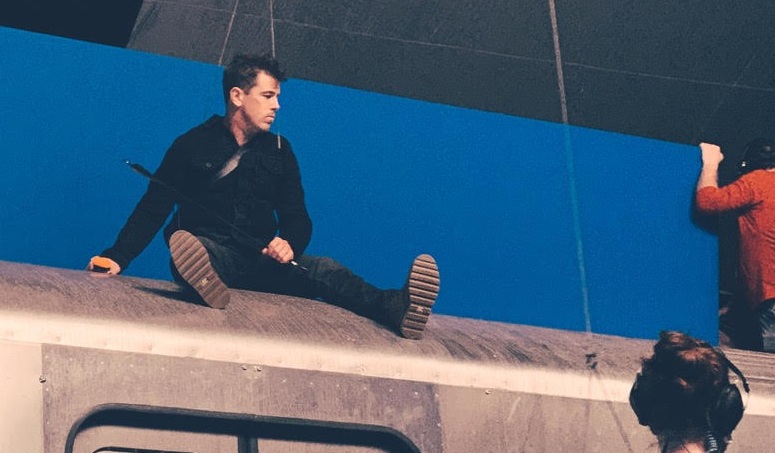
Caleb Spillyards on set during a fight scene
Caleb on set of From the World of John Wick: Ballerina
Just some of Caleb's on-set credits
Spider-Man Hawkeye Thunderbolts John Wick: Ballerina Guardians of the Galaxy
Stunt performer, fight coordinator, and Jeremy Renner's stunt double. The same on-set toolkit, now adapted for creators who already shoot but still aren't getting cinematic results.
Just some of Caleb's on-set credits
Spider-Man Hawkeye Thunderbolts John Wick: Ballerina Guardians of the Galaxy
Stunt performer, fight coordinator, and Jeremy Renner's stunt double. The same on-set toolkit, now adapted for creators who already shoot but still aren't getting cinematic results.
Caleb Spillyards on set during a fight scene
Caleb on set of From the World of John Wick: Ballerina
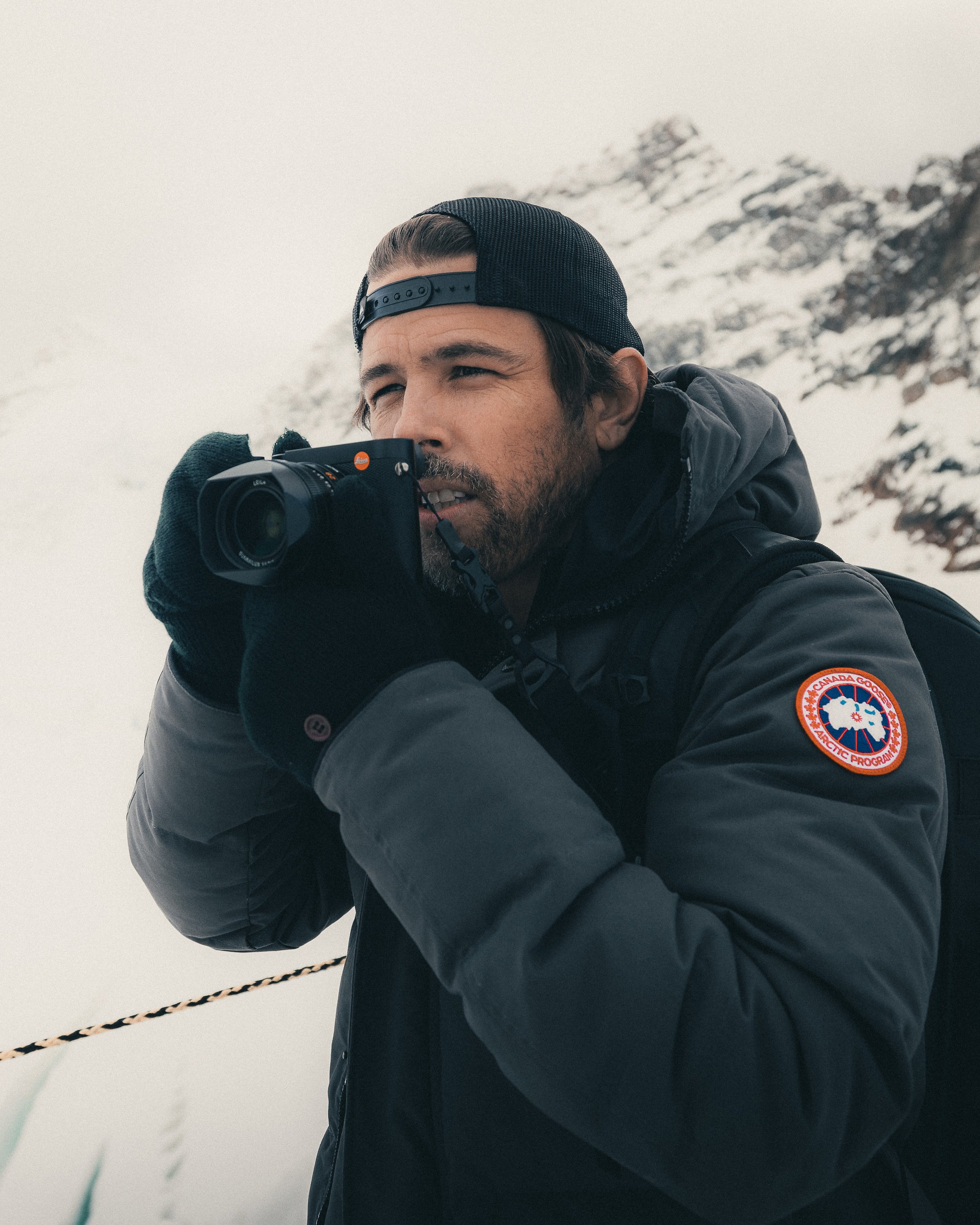
Caleb Spillyards on location, shooting on a Leica
Meet your instructor

Caleb Spillyards

Stunt Performer · Fight Coordinator · Visual Storyteller

I left home in 2012 to chase film, and I didn't even have a bed to sleep on. The next decade I spent on Hollywood sets working in stunts. I doubled Jeremy Renner on Hawkeye, did stunt work on Spider-Man and Guardians of the Galaxy, and ran fights as fight coordinator on Thunderbolts and Ballerina (the John Wick spinoff).

While I was on those sets, I was also building my own creator practice on the side. Vlogs. Shorts. Reels. I kept watching what real DPs and coordinators did on $200M productions and noticed something. Most of what made it cinematic wasn't the cinema rig. It was the on-set decisions. Those translate to whatever camera you've got.

"Most of what's in here, I learned by accident over years on Marvel and John Wick sets. You can have it in a long weekend."

This bundle is what I'd hand a new stunt performer or a new creator if they asked me where to start. Same toolkit. Different application. Cinematic isn't a preset. It's a set of decisions made before the camera turns on.

The Plateau

You've been posting for a year. You bought the camera. The content still looks "fine" instead of cinematic.

Caleb Spillyards on a film set, behind the scenes

You've been creating consistently. Maybe 6 months in. Maybe 18. You bought the camera you researched for weeks. Maybe added a lav mic. Maybe a light. The gear works. The content still looks the way it looked before you upgraded. You've started to wonder if the problem is actually you.

It's not. The gap between your content and the cinematic creators you admire isn't talent and it isn't gear. It's the on-set principles those creators learned, usually by accident, over years. They're not secrets. They're decisions made before the camera even turns on, and most creators never learn the order they go in.

This bundle is that toolkit. The same on-set decisions Caleb Spillyards uses on Marvel and John Wick films, distilled for solo creators on whatever you shoot on. Plus a free 14-Day Game Plan PDF that walks you through the course at your own pace. Most students see the difference in their next clip by the end of week one.

  • On-set principles that work on the camera you already own
  • Free 14-Day Game Plan PDF maps the course into a 2-week binge
  • Built around solo creator workflows, not studio teams
  • Sweet spot: creators 6 to 24 months in who feel stuck on quality

The Cinematic Toolkit, Day By Day

The bundle is module-based with lifetime access. Each day below is one slice of the toolkit: a short lesson plus a hands-on exercise that fits in a single sitting. Skip around, revisit any day, work at whatever pace fits your week. The free 14-Day Game Plan PDF gives you the order if you want one.

DAY 01 Mindset

Why "Cinematic" Isn't a Filter (And Why Most Creators Get This Wrong)

The reason elevated content is no longer optional, and why the look you want isn't a preset. I show you how I think about cinematic on a Marvel set and how that exact thinking scales to a phone.

ExercisePick 3 clips you love. Identify one cinematic principle in each (lighting, framing, movement). Write what you see.
DAY 02 Camera

Camera Choices: Phone, Mirrorless, Cinema (And Why It Matters Less Than You Think)

The honest answer about gear after a decade on Marvel and John Wick sets. We break down phone, mirrorless, DSLR, and cinema camera so you stop overspending and start shooting.

ExerciseShoot the same scene on whatever camera you have. Don't change anything. Save the file.
DAY 03 Settings

24fps, Shutter Speed, and Why Your Footage Looks Like a Soap Opera

The single most common reason phone footage looks "off." 60fps is for action. 24fps is what your eye reads as cinema. I explain shutter speed (1/48), framerate, and what to lock in once and never touch.

ExerciseReshoot Day 02 in 24fps with 1/48 shutter. Compare side by side.
DAY 04 Lenses

Lens Compression and Choosing Your Focal Length

Why 35mm flatters faces and 85mm separates subjects from backgrounds. The same principle applies to whatever lenses you've got, including your phone's wide and telephoto. I show you when to use each one and why directors pick what they pick.

ExerciseShoot a portrait at every focal length you've got available. Pick the most flattering. Now you know.
DAY 05 Composition

Beautiful Composition (Even For Vertical Video)

Rule of thirds tweaked for vertical Reels. Negative space, frames within frames, foreground elements that draw viewers in. The same composition cheats I use on a feature, scaled for whatever you shoot on.

ExerciseRecreate 5 cinematic compositions you love. Whatever camera you've got. Post them or save them.
DAY 06 Lighting

My Personal Lighting Setup (And Lighting For Shape)

The exact lights I use in my own studio, plus how to think about shape: flat light makes faces look average, shaped light makes them look cinematic. Why it works on Marvel close-ups and on your face on a Reel.

ExerciseLight yourself with whatever you have (window, lamp, phone flashlight). Create one shaped portrait.
DAY 07 Lighting

Lighting Hack #1: The Shadow Side Principle

The single biggest lighting upgrade for any creator. I show what real DPs do on Marvel close-ups (and what most YouTubers don't) and why your face will instantly look 10x more cinematic on camera the moment you apply it.

ExerciseReshoot Day 06's portrait using the shadow side principle. The difference is the lesson.
DAY 08 Lighting

Lighting Hacks #2 and #3 (My Two Favorite Cheats)

Two more cinematographer-grade tricks I use on my own content. Both work in tight apartments, hotel rooms, or anywhere you can't roll in a 6K HMI light from a film truck.

ExerciseShoot the same subject in 3 different moods using only Hack #1, #2, and #3. Notice what shifts.
DAY 09 Lighting

Natural Light + Lighting On A Budget

No lights? Window light is one of the most cinematic light sources on Earth. I show you how to read it, when to shoot, and how to fake fill light with a $9 piece of foam core.

ExerciseShoot a 30-second clip of yourself outside or near a window using only natural light + a reflector.
DAY 10 Lighting

Changing Mood by Changing Ambient Exposure

Same room. Same subject. Three completely different feelings. This is one of the most-used tricks on a Marvel set: the lights aren't always loud, the ambient exposure is doing the heavy lift.

ExerciseShoot 3 versions of the same scene at 3 ambient exposure levels. Pick the one with the most feeling.
DAY 11 Color

Color Grading Foundations (It Starts Before the Camera Turns On)

The biggest mistake creators make in post: trying to fix color that wasn't captured well on set. Good color grading enhances. It doesn't rescue. I show you the prep that saves you hours of grading later.

ExerciseTake one of your past clips. Identify what's wrong with the color. Note what you'd change on set next time.
DAY 12 Color

DaVinci Resolve and the 3 Things I Always Do When I Color Grade

DaVinci is free and it's industry standard. There's a reason every colorist in Hollywood uses it. I'm going to walk you through the 3 moves I do on every clip, in order, before I ever touch a LUT.

ExerciseOpen one clip in DaVinci. Apply the 3 moves in order. No LUT yet. Save the result.
DAY 13 Color

Applying LUTs The Right Way (And Adding Contrast)

A LUT is not a one-click cinematic button. It's a starting point. I show you how to apply one, when to dial it back, and how to add contrast that holds up on a phone screen.

ExerciseApply one of the LUTs from the bundle to your Day 12 clip. Adjust to taste. Compare to the original.
DAY 14 Mindset

Adding Blue To Shadows + The 80% Rule (Becoming Unstoppable)

The final color move that makes everything feel filmic, plus the mindset rule I learned the hard way: ship at 80%. Perfectionism kills more creators than bad lighting ever did. I'll close with the 1.5 years I had zero growth and what changed.

ExerciseFinish your Day 12 clip. Add blue to shadows. Post it. Don't wait for "perfect."
What students who already shoot are saying

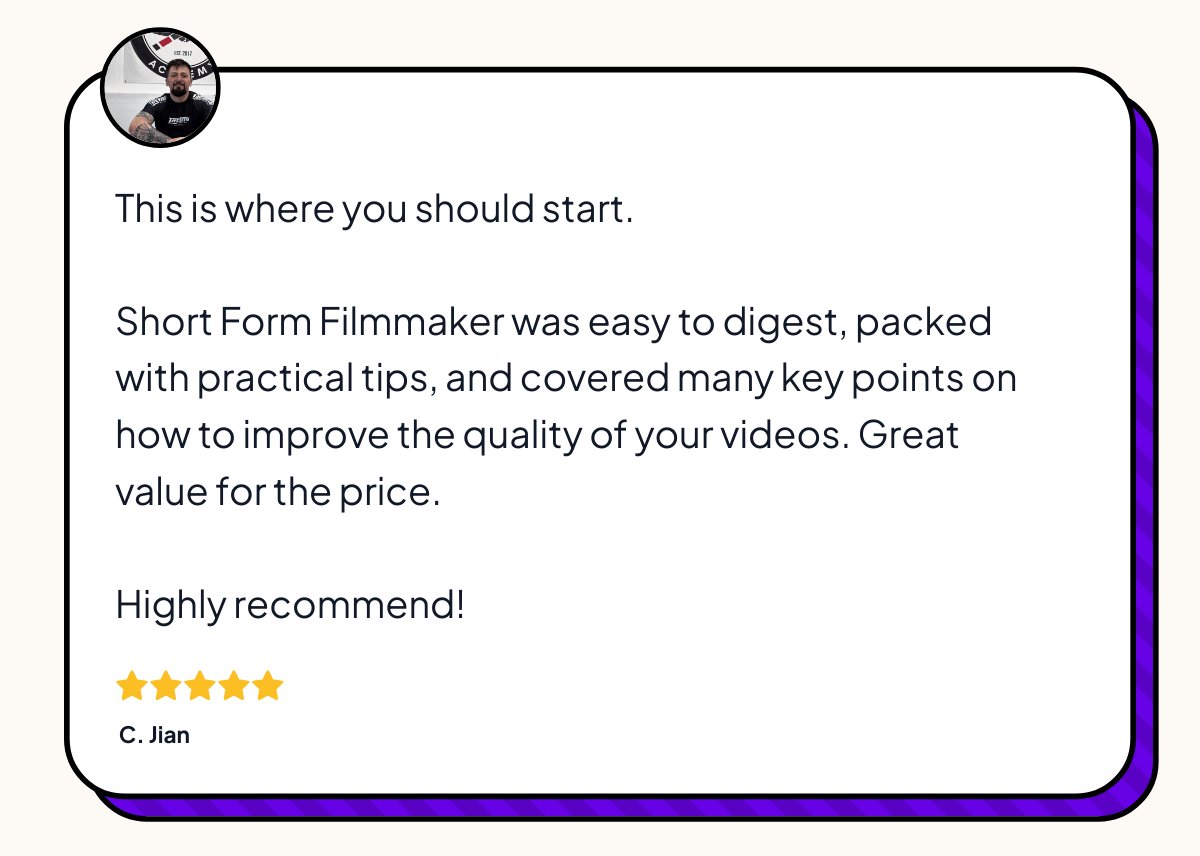
Five star review from C. Jian about lighting and cinematic feel
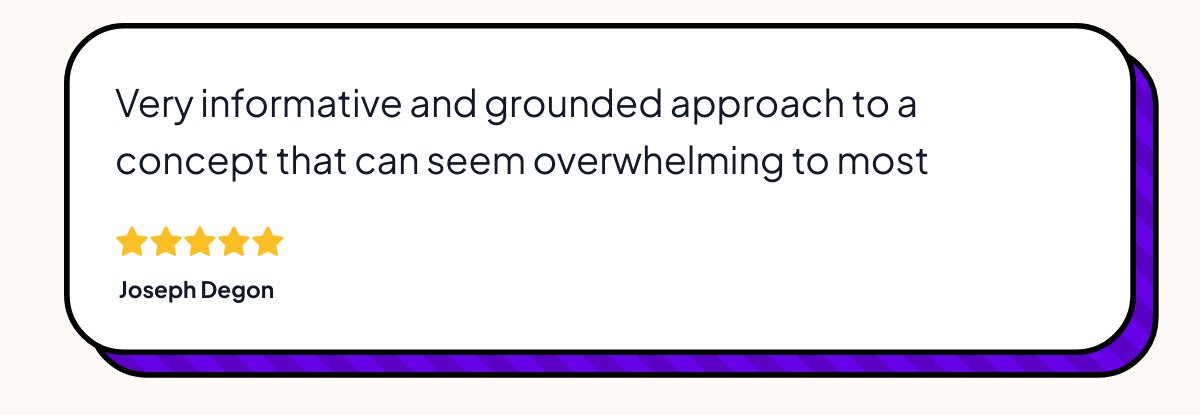
Five star review from Joseph Degon about Caleb's teaching style
Five star review from Samuel Jaye Paul about elevating content

Plus 4 Bundled Bonuses (Normally Sold Separately)

You're not just getting the main course. You're getting four more products from my catalog stacked into the same $67. Here's what comes with it.

Bonus #1

The Story Engine Starter

Normally $65 · Included free with the bundle

The story comes before the camera turns on. Even on a fight scene, the coordinator's first question is "what's the story." I built this to teach creators how to find their best stories using a process I call Memory Mining.

  • Why small moments beat big stories every time
  • The Memory Mining session (a structured way to surface the stories you forgot you had)
  • Find your Signature Themes (your emotional storytelling fingerprint)
  • Build a repeatable content engine so you never sit and stare at a blank screen
1 Hour to Infinite Ideas cover
Bonus #2

1 Hour to Infinite Ideas

Normally $50 · Included free with the bundle

Action coordinators don't wait for inspiration. We can't. There's a shoot day, the actor is there, the camera is rolling. So we built systems for generating ideas on demand. This is that system, adapted for creators.

  • The Action Paradox: why doing the work creates ideas, not the other way around
  • Steal Like An Artist (the legal, professional version)
  • Homework For Life: the journaling practice that surfaces 30 ideas a week
  • Mind mapping, ShotDeck, music-as-prompt, and how I beat creator's block on demand
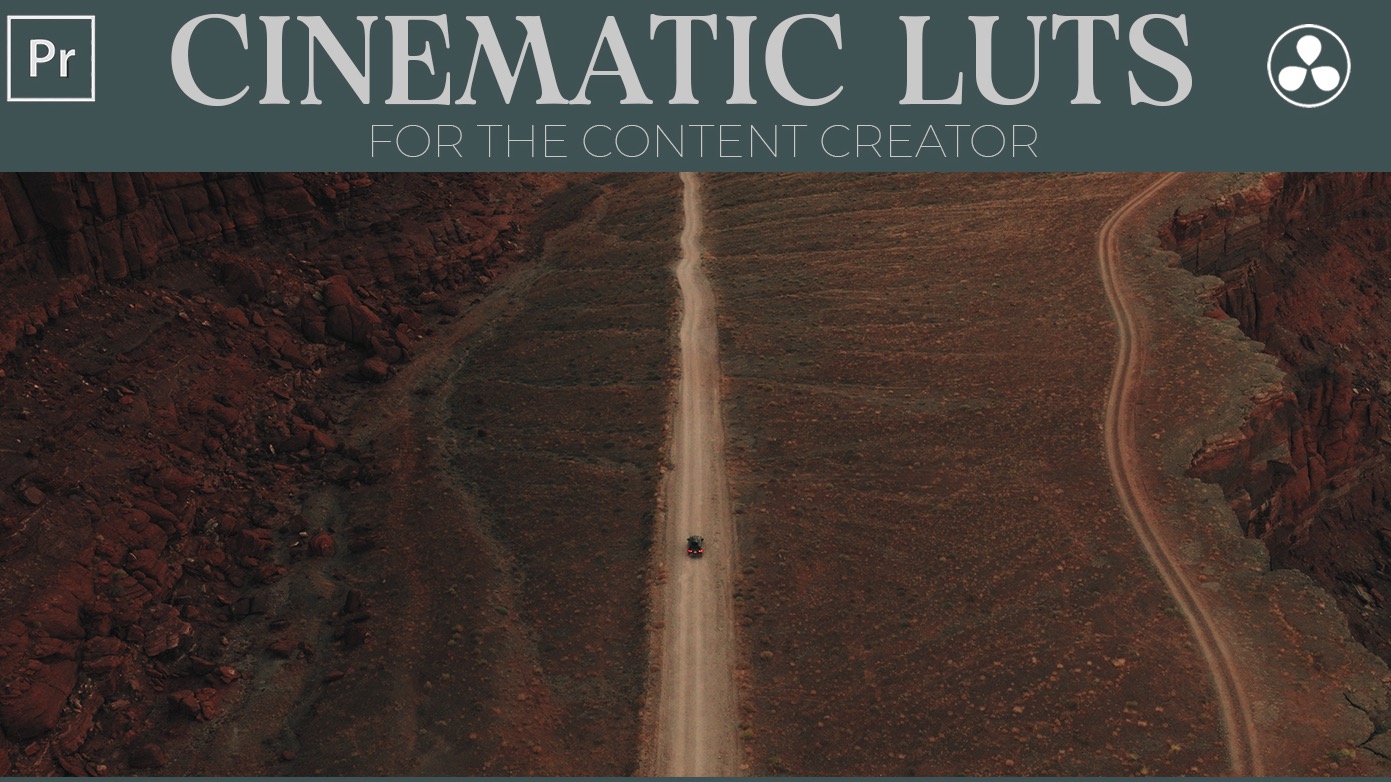
CS Cinematic LUTs pack cover
Bonus #3

CS Cinematic LUTs (12+ Pack)

Normally $57 · Included free with the bundle

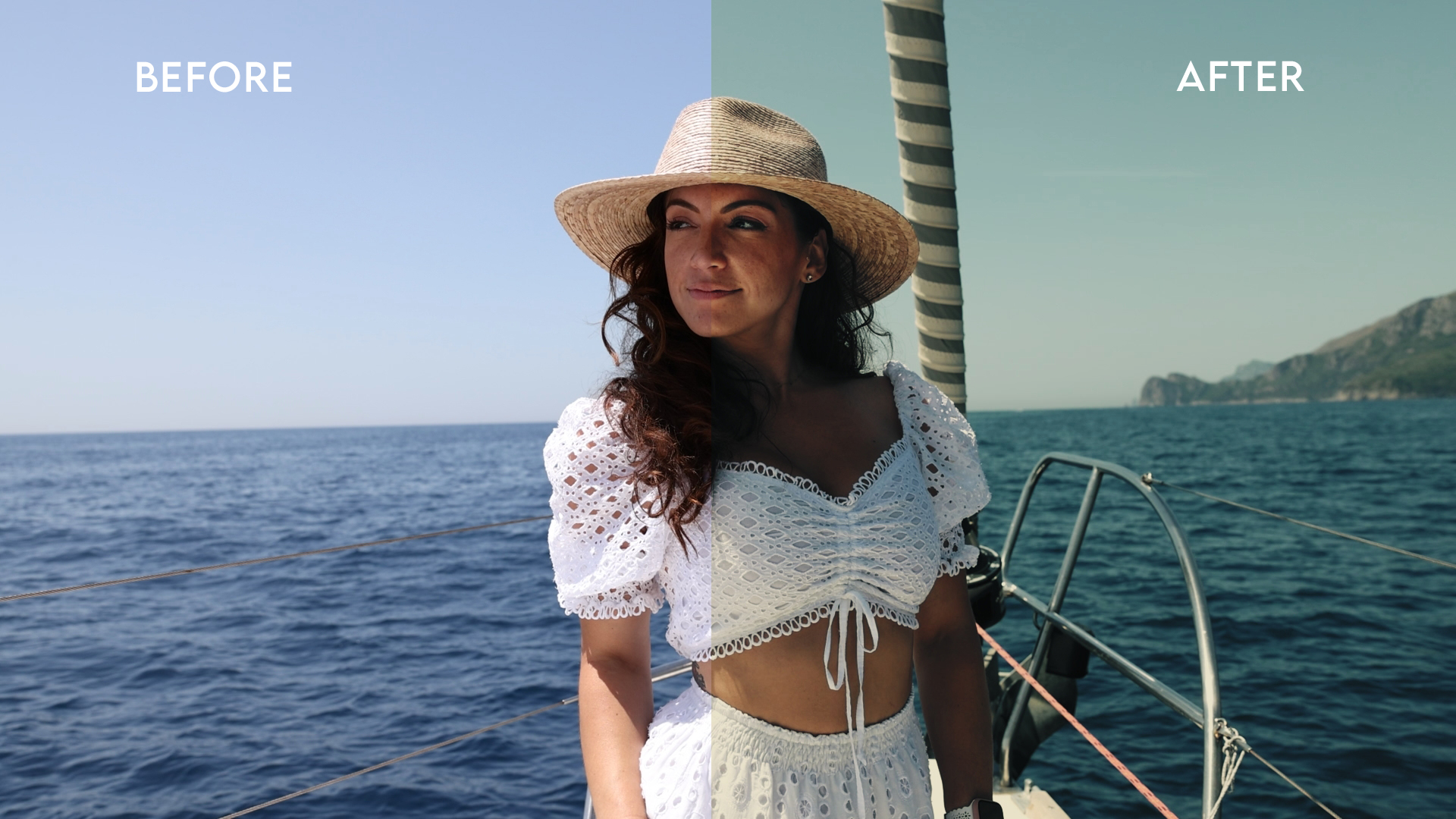
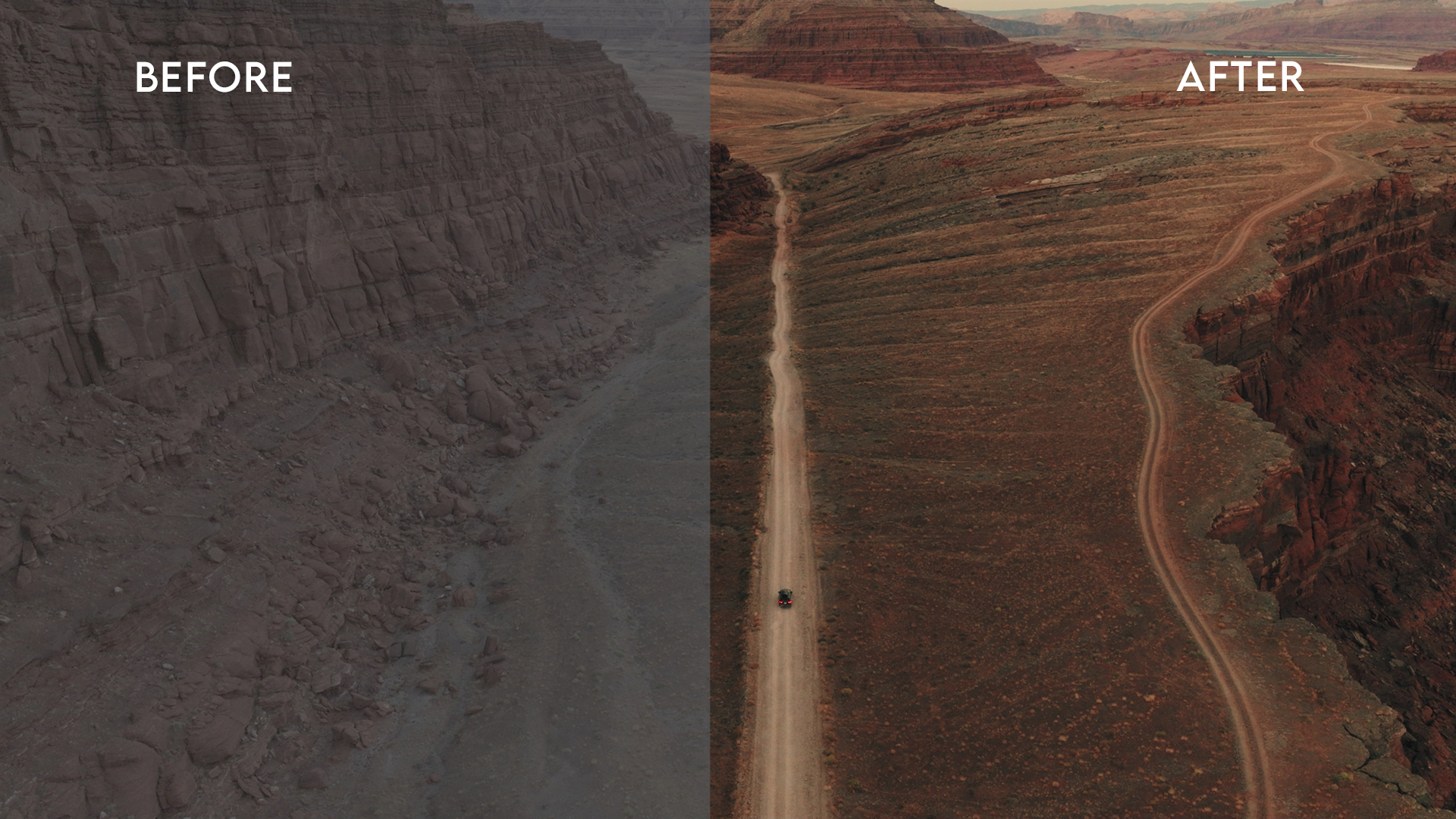
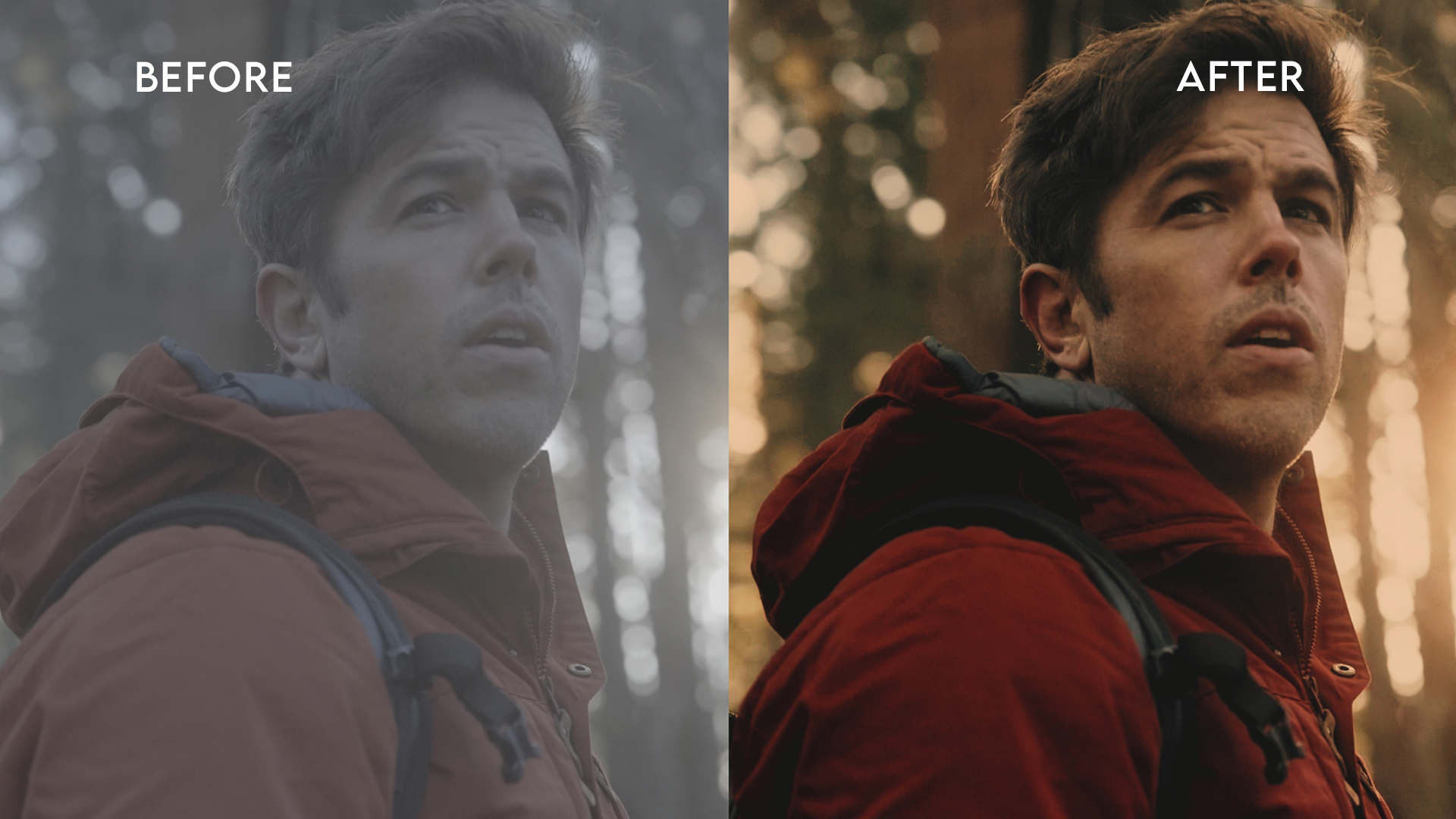
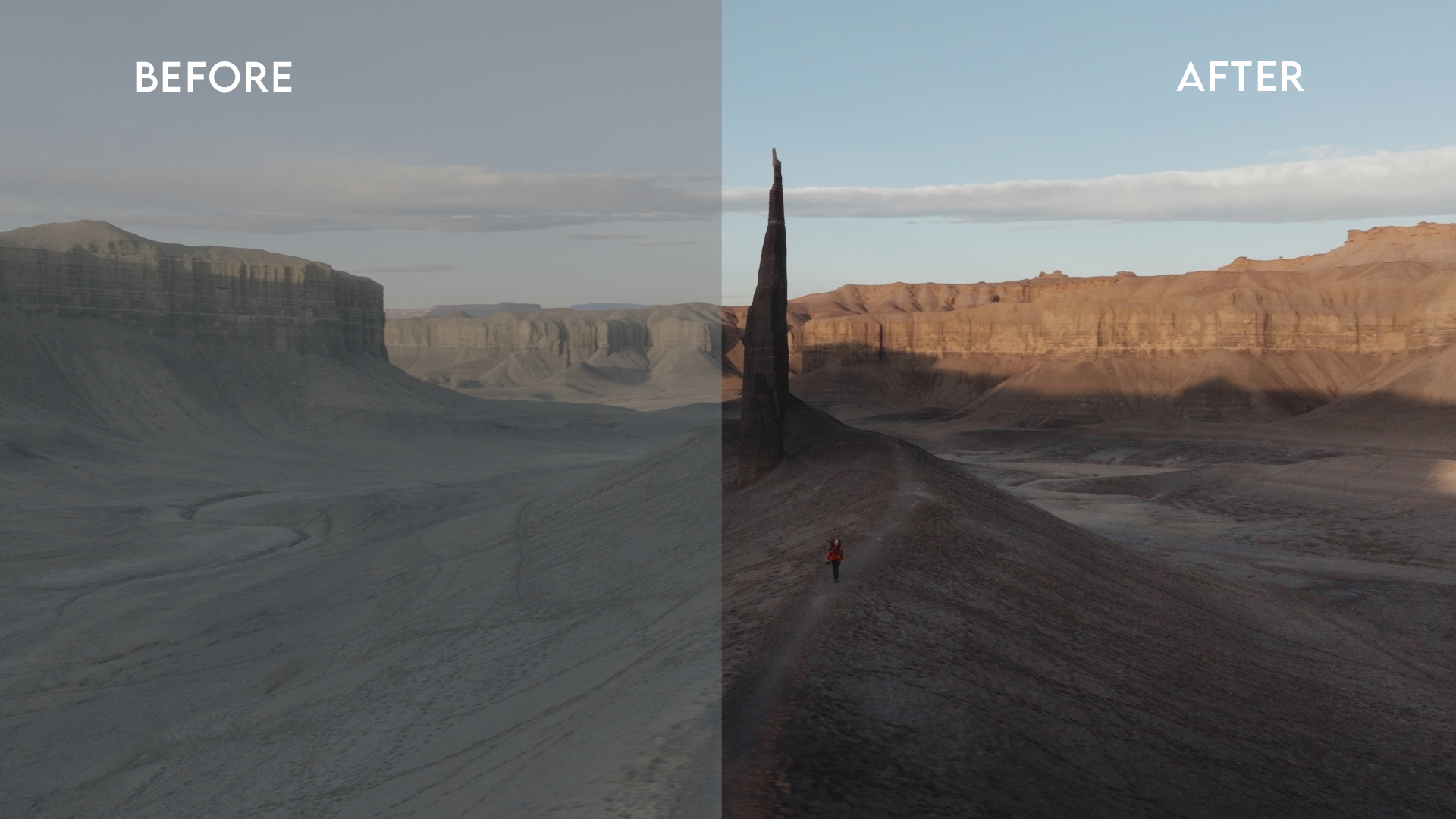
The same color science I use to make my own creator content match a Marvel feature. 12+ pro-grade LUTs that work in DaVinci Resolve, Premiere Pro, Final Cut, and CapCut. One click. Drop it on. Adjust to taste.

Before and after LUT demo 1 Before and after LUT demo 2 Before and after LUT demo 3 Before and after LUT demo 4
Free Add-On

The Cinematic Cheatsheet + Infinite Ideas Workbook

Two free guides · $0

Two printable companion guides. The Cheatsheet is the on-set settings, framerate, and shadow-side reference card I keep on my phone. The Workbook is the structured prompt sheet I use for Memory Mining and Homework For Life sessions.

  • Cinematic Cheatsheet: settings, focal length guide, lighting hacks, color order of operations
  • Infinite Ideas Workbook: Memory Mining prompt sheet, Signature Themes worksheet, Homework For Life log
  • Both delivered as PDF the moment you join
Bundle Deal · Save 75%

The Cinematic Toolkit Bundle

Lifetime access. One-time payment. No subscription.

$269 $67
SAVE $202 · 75% off
Short Form Filmmaker (the main course, 7 modules)$97
The Story Engine Starter$65
1 Hour to Infinite Ideas$50
CS Cinematic LUTs (12+ pack)$57
The 14-Day Game Plan PDFFREE
The Cinematic CheatsheetFREE
Infinite Ideas WorkbookFREE
Total today$67
Get The Toolkit For $67
Instant access · 30-day guarantee
30-Day Refund Lifetime Access One-Time Payment Mobile + Desktop

Is this toolkit right for you?

This is for you if you

  • Have been posting consistently for 6 to 24 months and feel like your content has plateaued
  • Already own (or are about to own) a mirrorless camera. Or you're shooting on phone with a step-up on the horizon.
  • Bought the gear hoping it would fix the "flat" feel of your content, and it didn't
  • Follow cinematic creators on IG and YouTube and want to know why their stuff actually looks the way it does
  • Want to learn from someone with real on-set Hollywood experience, not a filter creator
  • Actually want to do the work. The principles are short. The change comes from applying them.

This is not for you if you

  • Are looking for a one-click LUT that fixes bad source footage. That doesn't exist.
  • Have decade-deep cinematography experience already. You'll know most of this.
  • Want a passive course you can watch in the background. The principles transfer through reps, not play counts.
  • Aren't shooting at all yet and don't plan to. Come back when you've got something to apply this to.
Bundle Deal · Save 75%

The Cinematic Toolkit Bundle

Lifetime access. One-time payment. No subscription.

$269 $67
SAVE $202 · 75% off
Short Form Filmmaker (the main course, 7 modules)$97
The Story Engine Starter$65
1 Hour to Infinite Ideas$50
CS Cinematic LUTs (12+ pack)$57
The 14-Day Game Plan PDFFREE
The Cinematic CheatsheetFREE
Infinite Ideas WorkbookFREE
Total today$67
Get The Toolkit For $67
Instant access · 30-day guarantee
30-Day Refund Lifetime Access One-Time Payment Mobile + Desktop

Common questions

Why should I trust a Hollywood stunt performer to teach me cinematic content?
Fair question. The reason is that on a Marvel or John Wick set, I'm not just throwing punches. I'm next to the DP, the gaffer, and the colorist for 12 hours a day, watching how every cinematic decision gets made. I've doubled Jeremy Renner on Hawkeye and run fights as fight coordinator on Thunderbolts and Ballerina. That's the credential. The reason I can teach it is that I've been quietly building a creator practice on the side for years, and I've already done the translation work for you.
What skill level is this for?
The sweet spot is creators who've been shooting for 6 to 24 months and feel stuck. If you're already posting and your content feels flat, the lighting and color modules will move the needle fastest. The curriculum also walks total beginners through camera settings, framing, and lighting basics from zero. If you've been a working DP for 10 years, you'll know most of this.
Is the bundle actually 14 days of video content?
No, and we want to be straight about that. The bundle is four products: Short Form Filmmaker (the main course, 7 modules and 60+ lessons), Story Engine Starter, 1 Hour to Infinite Ideas, and the CS Cinematic LUTs pack. The free 14-Day Game Plan PDF is a curated path that organizes the course's existing modules into a 14-day binge schedule with a hands-on exercise prompt for each day. You get the bundle PLUS the Game Plan. Most students follow the Game Plan to navigate the course efficiently.
How long do I have access?
Lifetime. Buy once, watch forever, on phone, tablet, laptop. The 14-day Game Plan is a recommended pace. Most students go faster. Some take longer. Replay any lesson as many times as you want.
What gear do I need?
Less than you'd think. The principles work on any camera you've got. If you're shooting on a phone, there's a dedicated lesson on phone-specific workflows (Filmic Pro, Moment lenses) and most exercises are doable on a current iPhone or Android. Most of the modules assume you have or are working toward a mirrorless camera, but the lighting, color grading, composition, and story modules are gear-agnostic. The 12+ LUT pack works in DaVinci Resolve, Premiere Pro, Final Cut Pro, and CapCut.
Can't I just learn this on YouTube for free?
You can. I learned a lot of this on YouTube too, the long way. The thing free YouTube doesn't give you is sequence. You don't know if you should learn 24fps before lighting before color or in some other order. I lost months figuring that out. The 14-day order is the order I wish someone had handed me. Your time is worth more than $67.
Do I need DaVinci Resolve or special editing software?
DaVinci Resolve is free and what I teach with on the color modules. You can also use Premiere Pro, Final Cut Pro, or CapCut. The LUTs in the bonus pack work in all of them.
Is there a guarantee?
30-Day Money-Back Guarantee. If you go through the curriculum and don't feel it's worth $67, email support@calebspillyards.com within 30 days and we refund you. No questions, no friction. The risk is on me.
Will the LUTs work on my video editor?
Yes. The CS Cinematic LUTs are .cube files (industry standard). They work in DaVinci Resolve, Premiere Pro, Final Cut Pro, and CapCut Desktop. There's a tutorial inside the bundle showing how to load them in each one.
What if I have a question while I'm working through it?
Email support@calebspillyards.com. Real reply, not a bot. I read most of them myself.
Why is this so cheap if you learned it on $200M sets?
Because the gear, time, and drive are already yours. The only thing you don't have are the principles. Marvel sets pay coordinators thousands of dollars a day to know this. You're not paying for the gear. You're paying for the order to learn things in. $67 is a fair price for that.

Make Your Content Look Like the Films He Worked On.

The bundle and the free 14-Day Game Plan PDF, all for $67. Lifetime access. One-time payment. 30-day money-back guarantee.

Get The Toolkit For $67
Spider-Man · Hawkeye · Thunderbolts · Ballerina · Now your camera